










How do I change my eSIM label?
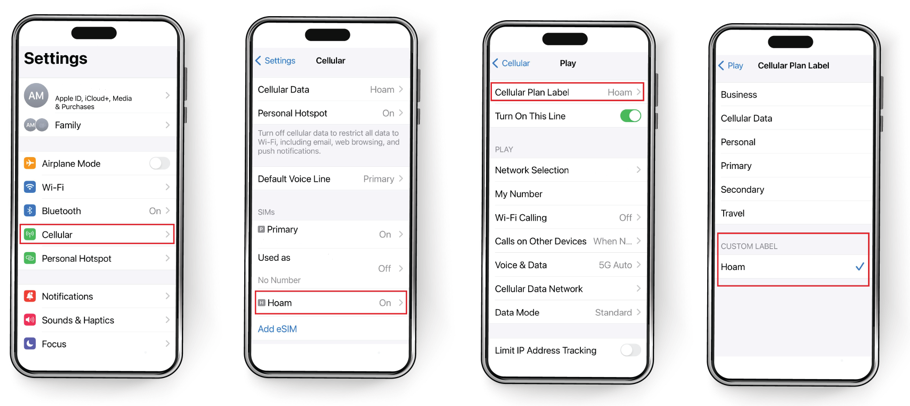
During eSIM installation, your device will automatically label your new eSIM. Afterwards, you can go to your device settings and change it.
We recommend picking a name that easily identifies the eSIM (e.g., Hoam eSIM).
Check out our video manual: Watch on YouTube Or follow the steps below to change an eSIM label on your device.
- GO to Settings
- TAP Cellular or Mobile
- Under SIMs, TAP the eSIM you wish to edit
- TAP Cellular Plan Label
- TAP the default eSIM label OR RENAME it in the Custom Label field