











How do I activate Data Roaming on my eSIM?
Activate Data Roaming on eSIM:
In order to use the Hoam eSIM when arriving to your destination/s, make sure Data roaming is turned ON.
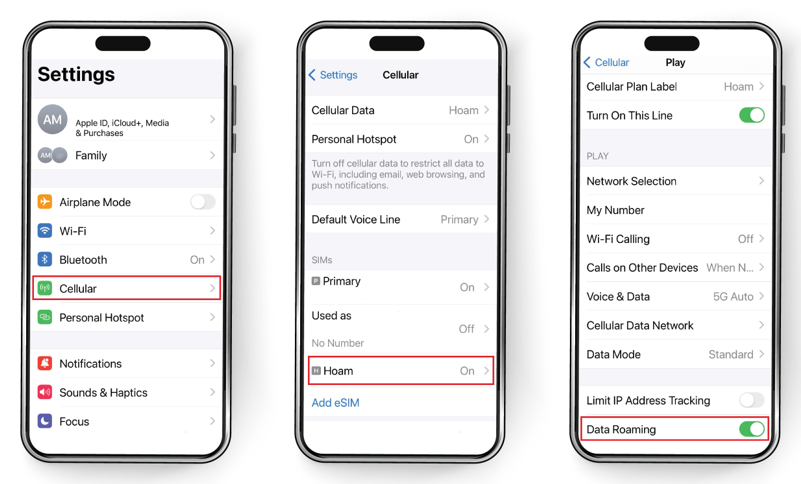
Follow the steps below to activate roaming on your device:
- Open Settings
- Tap Cellular
- Tap your eSIM
- Toggle Data Roaming ON
Still need our help? Contact us